CCTV camera specifications explained: how to choose the right camera
Understand megapixels, lenses, night vision, frame rate and recording settings, then choose CCTV around the detail your property actually needs.
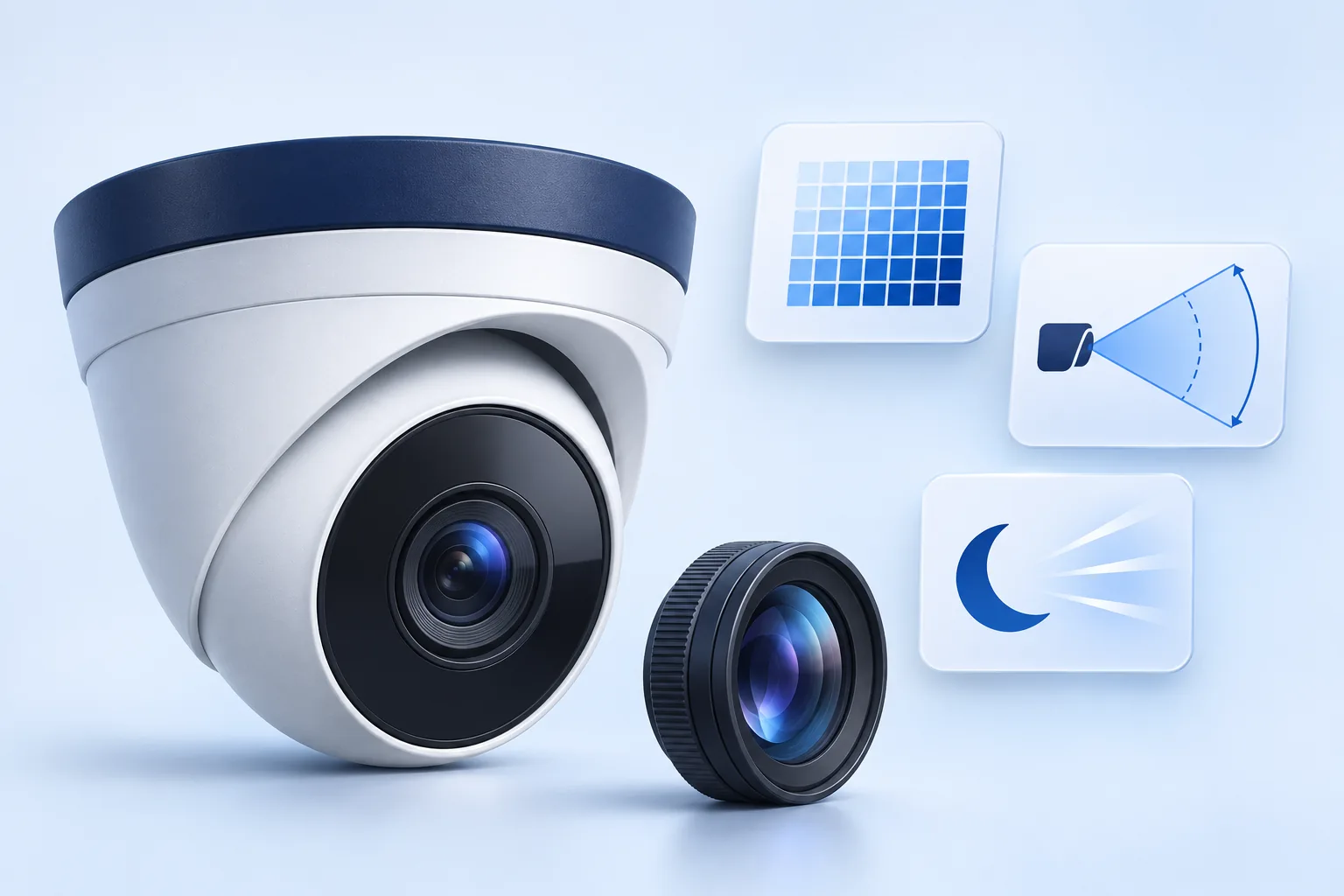
Start with what each camera must show, at what distance and in which lighting conditions. Read resolution, lens, sensor and recording specifications together. A large megapixel number or a long night-vision range alone does not establish that the recorded picture will do the job.
Start with the scene, then read the specification
Your driveway, front door and side passage may need different views. Before selecting equipment, decide whether you want to see that someone is present, follow their route or obtain a useful view of them at an entrance. Note the distance, likely direction of travel and lighting at that point.
That is the starting point in our design process: agree what the system needs to achieve, then choose and position equipment to suit. A camera that provides a useful overview is not automatically the right choice for a detailed entrance view.
Megapixels
The number of pixels available in the image.
Ask: What detail will this show at the distance I need?
Lens & field of view
How much of the scene fits in the frame.
Ask: Is this an overview or a view of one specific entrance?
Low-light performance
How the camera handles the available light and movement.
Ask: Can we check a moving subject after dark?
Recording settings
The resolution, frame rate and bitrate actually saved.
Ask: Will the recorder keep the quality and duration we agreed?
Resolution: what do 4 MP and 8 MP tell you?
Megapixels describe the approximate number of image pixels. A 3840 × 2160 image, commonly called 4K UHD, contains about 8.3 million pixels and is often sold as 8 MP. Check the actual pixel dimensions because products using the same MP label can have different image shapes.
More pixels can provide useful detail, but those pixels are spread across the whole view. A distant face may still occupy a small area. Lens choice, focus, lighting, motion and recording quality all affect what remains usable.
Digital zoom enlarges the image already captured; it does not create missing scene detail. Compare recorded footage at the point you need to see, rather than judging only the live picture or the number on the box.
Lenses: 2.8 mm, 4 mm and varifocal options
For a comparable camera and sensor, a shorter focal length normally gives a wider view; a longer focal length gives a narrower view. A 2.8 mm option may suit an overview, while a 4 mm or adjustable option may frame a particular approach more closely.
Do not attach one universal angle to “2.8 mm”. Sensor size and the camera’s optical design matter. Read the stated horizontal field of view when comparing how much width is covered. Horizontal, vertical and diagonal angles are different measurements.
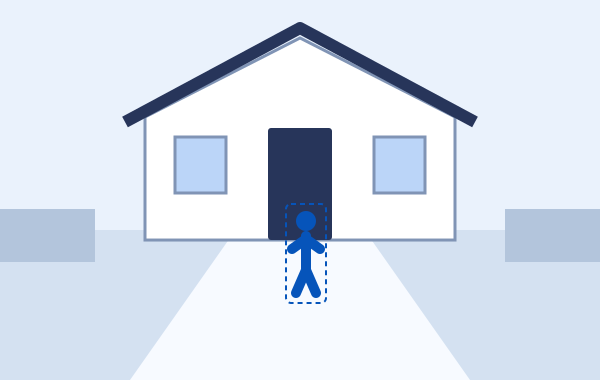
Wider view
More of the approach is visible. The visitor occupies a smaller part of the image.
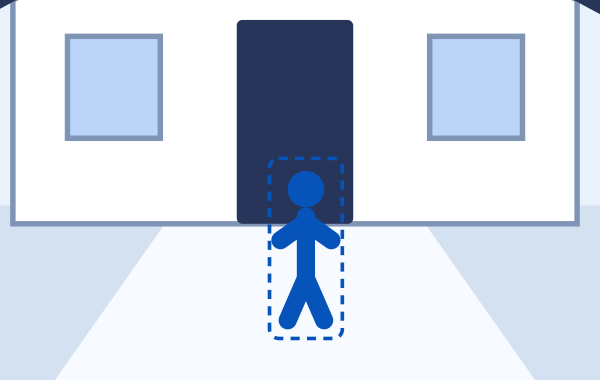
Narrower view
The same visitor fills more of the image. Some surrounding coverage is excluded.
Conceptual illustrations from the same position, with the same output image size. They show framing, not measured lens angles or guaranteed identification performance.
Fixed lens: a set focal length. Varifocal lens: an adjustable focal length that lets the installer refine framing and focus; motorised versions can offer remote adjustment. This does not necessarily mean the camera can pan or tilt.
Axis’s guide to surveillance lenses explains the relationship between focal length, sensor size and field of view. See our camera placement guide for the property-planning side.
Sensor, aperture and night vision: read them together
Sensor formats such as 1/1.8-inch and 1/2.8-inch are industry format names, not a simple measurement of the sensor’s diagonal in inches. A larger sensor can be helpful, but sensor design, pixel count, optics and processing also affect the result.
The aperture’s f-number describes the lens opening: a lower number allows more light through, all else equal. Neither a sensor format nor an F1.0 label should be treated as a complete night-performance score.
Minimum-illumination figures need their test conditions. A bright-looking static scene may have been produced using a long exposure or substantial gain. Moving subjects can then blur or appear noisy. Frame rate and shutter speed are separate controls: increasing fps does not by itself freeze movement.
Infrared illumination usually produces a monochrome night image. Colour after dark needs sufficient visible light, supplied by the scene or a compatible white-light illuminator. Hybrid-light behaviour depends on the model and configuration.
An advertised illumination range describes lighting reach under stated conditions; it is not a promise of a recognisable face at that distance. Ask to review a moving subject in the actual night view. Axis’s image-quality guidance explains exposure, gain and motion blur; our night-time CCTV guide covers practical symptoms.
WDR, noise reduction and image adjustments
Wide dynamic range (WDR) helps balance bright and dark parts of a scene, such as a shaded doorway facing a bright driveway. A quoted dB figure is useful context, but it does not replace checking the picture at your entrance.
Noise reduction can make an image cleaner, while strong processing can also obscure moving detail. Backlight and highlight controls address particular exposure problems. Ask the installer to balance the settings around the scene instead of turning every enhancement to maximum.
A sharp daytime view should still be checked at night and with movement. Focus, obstructions and reflections need attention alongside the specification.
Frame rate, bitrate, codecs and streams
The recording specification needs to match the camera. Check the frame rate available at the chosen resolution, then confirm that the recorder can receive, save and play back the intended streams across the complete system.
- Frame rate (fps): how many frames are captured or delivered each second. Choose it around the activity; shutter speed still determines exposure time within a frame.
- Bitrate: the data allocated to the video. Insufficient bitrate can lose useful detail, particularly in busy scenes.
- H.264 and H.265: video compression formats. H.264+ and H.265+ are manufacturer-specific optimisations; confirm support and test the result rather than assuming a fixed storage saving.
- Main stream and sub-stream: different video outputs, often used for detailed recording and lighter remote viewing. Confirm which stream is actually being recorded.
Hikvision’s video-parameter documentation describes its encoding settings. Use our CCTV storage calculator to compare planning estimates, then verify retention on the installed system. Estimates are not a guarantee of days retained.
Power, recorder compatibility and practical features
Power over Ethernet (PoE) can carry power and data over a suitable Ethernet connection. Check the camera’s required PoE standard, the available power per port and the switch or recorder’s total budget. Plan against the specified maximum demand, including features such as illumination or heaters where fitted. Axis explains typical versus maximum camera power.
For mixed-brand systems, check the exact camera, recorder and firmware—not just an “ONVIF” label. ONVIF’s product database identifies officially conformant products and their profiles. Confirm the features you need, including events, audio and playback; a live video connection alone is not a complete handover test.
Also review the housing’s suitability for its location, protected cable connections, supported storage, firmware maintenance and account handover. A built-in microphone or analytics label does not mean every feature needs to be enabled. Agree recording, alerts, privacy masking and access with the customer.
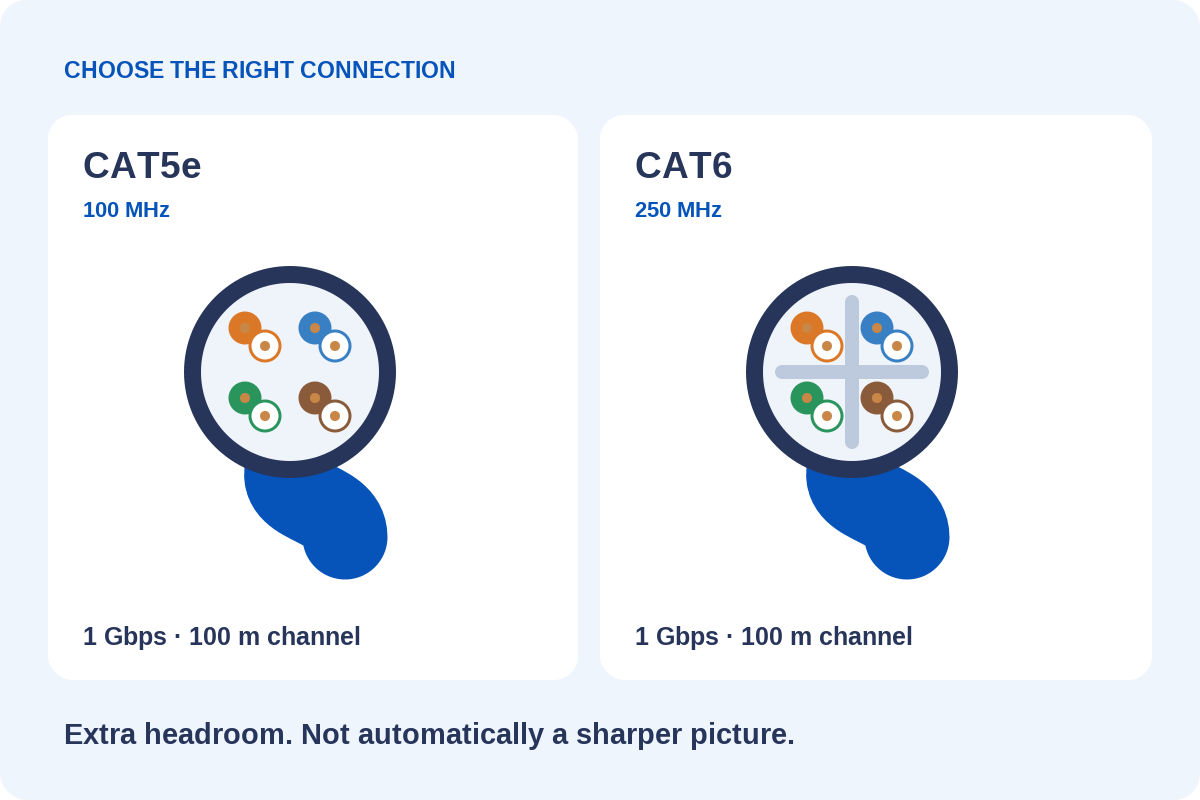
Our Cat5e versus Cat6 guide explains the cabling choice; see cable routing and protection for installation details.
Example: turn a specification list into questions
Consider an 8 MP fixed-turret camera with the example labels below. Translate each figure into a question about the installation. These are example specification labels, not a promise that every 8 MP camera includes them.
- 3840 × 2160 resolution
- What does the required subject look like in the saved image at its actual distance?
- 2.8 mm or 4 mm lens
- Which version frames this scene correctly, and what is its stated horizontal viewing angle?
- Low-light figure, F-number and illumination range
- What exposure and lighting are needed to record a moving visitor clearly?
- WDR and image processing
- Can we retain useful detail in the shaded entrance and the bright background?
- Multiple streams and smart events
- Which stream is recorded, which alerts are supported by the recorder, and how will these be tested?
Detection, observation, recognition and identification figures—often labelled DORI—describe different viewing tasks. Treat published distances as planning information with stated assumptions. They are not guarantees that a person or moving number plate will be identifiable in your installation. Axis’s current pixel-density guidance also explains why planning models need validation against real conditions.
A short checklist before you choose
- Define the job: the subject, target area, distance and required detail for each camera.
- Check the scene: viewing angle, mounting position, light, movement and obstructions.
- Check the system: recorder capacity, recording settings, power, cabling and remote access.
- Agree the handover: playback, exporting footage, accounts, training and aftercare.
- Validate the result: inspect saved footage in the conditions that matter, including after dark where required.
WESEC can plan the cameras around your property and explain the trade-offs before quoting. Explore our CCTV installation process or security system design service. Installation prices are quotation-only.
Discuss your own property. WESEC is based in Aylesbury and covers surrounding areas, including Milton Keynes and Tring, subject to postcode confirmation. Check our service areas.