What tools does a CCTV and security systems engineer need?
A practical guide to the tools for surveying, fixing, running cable, terminating, testing and handing over a CCTV installation—and what to add as your work grows.
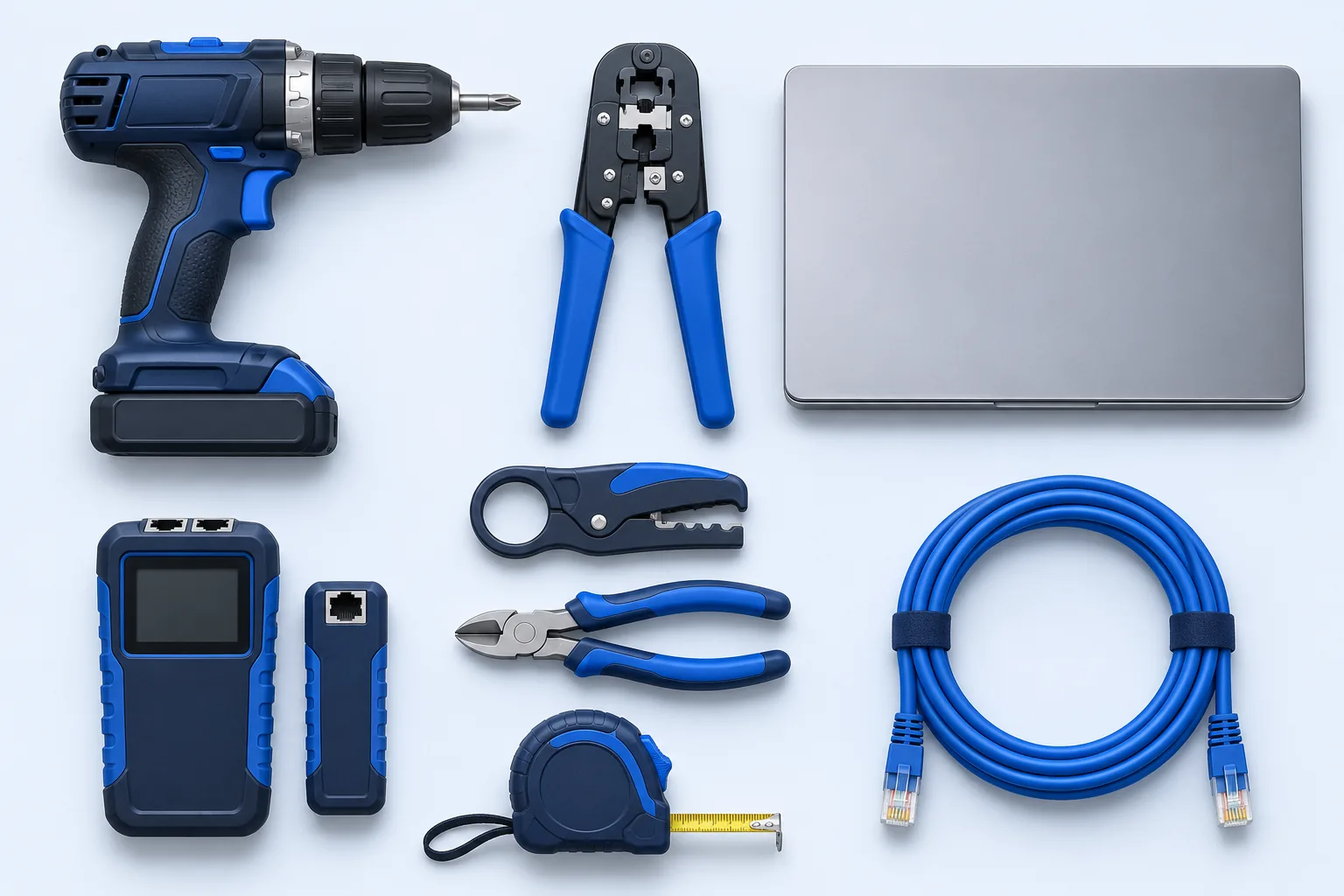
Build a kit that lets you plan the route, install neatly, make the correct connections and test the result. Start with dependable hand tools, suitable drilling equipment, cable tools and basic test equipment; add specialist instruments for the systems and work you actually undertake.
Start with the work, then choose the tools
An installation bag and a service bag do different jobs. A first fix may need reels, rods and masonry drilling equipment; a fault visit may depend more on a tester, laptop and a known-good lead.
This guide focuses on CCTV installation and servicing. Intruder alarms, access control and intercoms can need additional system-specific tools, software and training. Before leaving for site, check the equipment, route, access arrangements and what you must demonstrate at handover.
Measure, mark and check the route
Carry a tape measure, level, pencil or suitable marker and a torch. A laser measure is useful for longer distances, while a phone or tablet can hold plans, authorised site photographs and notes.
Check the proposed camera view before committing to the mounting position. A compatible test monitor or laptop helps you assess the actual picture, rather than judging coverage from the bracket alone. Record cable routes, equipment locations and access restrictions.
A suitable service detector is an aid when assessing a drilling position; it does not guarantee that a wall or void is clear. Check available records and the site conditions before drilling. Our system design page explains why the survey comes first.
Drill and fasten with control
| Tool | Useful for | What to watch |
|---|---|---|
| Combi drill | General drilling in timber and metal; suitable light masonry work. | Select the correct bit and operating mode. Hard masonry can call for an SDS rotary hammer. |
| Impact driver | Driving suitable screws and fixings efficiently. | Use impact-rated bits and control the fastening. Finish delicate camera and terminal screws by hand. |
| SDS rotary hammer | Repeated drilling into masonry and concrete, with suitable bits. | Use the specified handle, dust controls and access equipment. It is not the tool for tightening a camera housing. |
Carry PZ, PH, flat, Torx/security and hex drivers or bits to suit the equipment. PZ and PH are different profiles: using the wrong one damages screw heads. A small precision set is useful for terminals and adjustment screws.
Match drill diameter, depth, anchor and screw to the substrate, load and fixing instructions. Keep hand control over delicate fasteners; use specified torque where the equipment requires it. Choose a battery platform for its support, ergonomics and the work you do, rather than buying three different brands without a reason.
Pull cable without damaging it
Cable rods or a fish tape, a reel dispenser and good cable cutters are practical essentials for installation work. On longer or awkward routes, a second person feeding the reel can prevent tangles and excessive pulling force.
Prepare a smooth pulling attachment, guide cable around bends and stop to investigate resistance. Observe the cable maker’s bend radius and pulling limits. If lubrication is needed, use a product specifically compatible with the cable jacket and route—not general-purpose grease.
Carry suitable clips, containment, reusable straps, grommets and labels. Support the cable without crushing it, and label both ends as you go. See our cable installation and protection guide for route planning and exposed connections.
Match the termination tool to the connector
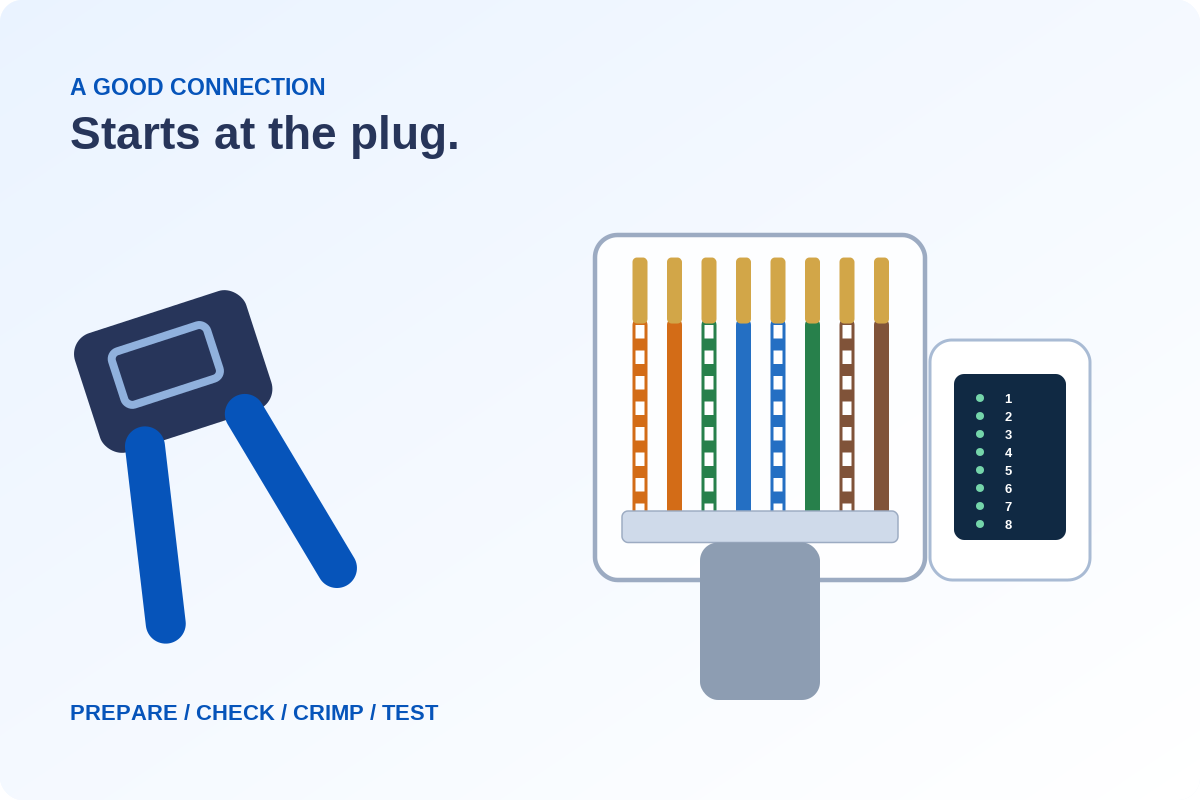
For IP CCTV, pack a jacket stripper, cutters and an RJ45 crimper compatible with the plugs and cable you use. Pass-through plugs need the specified flush-cutting arrangement; a generic crimper is not automatically suitable. Punch-down jacks and panels need their own compatible tool or termination method.
For coaxial CCTV, carry a suitable coax stripper and the compression or crimp tool specified for the BNC connector. Match the connector to the cable dimensions. A compressed connector does not, by itself, make an outdoor joint weatherproof.
Keep spare compatible connectors and short, known-good patch leads. Our illustrated RJ45 guide covers preparation and checks; Cat5e versus Cat6 explains cable selection.
Choose the tester for the question
A tester is useful when you know what its result establishes. A basic wire-map pass does not certify the cable’s category performance, prove the network configuration or show that a camera records correctly.
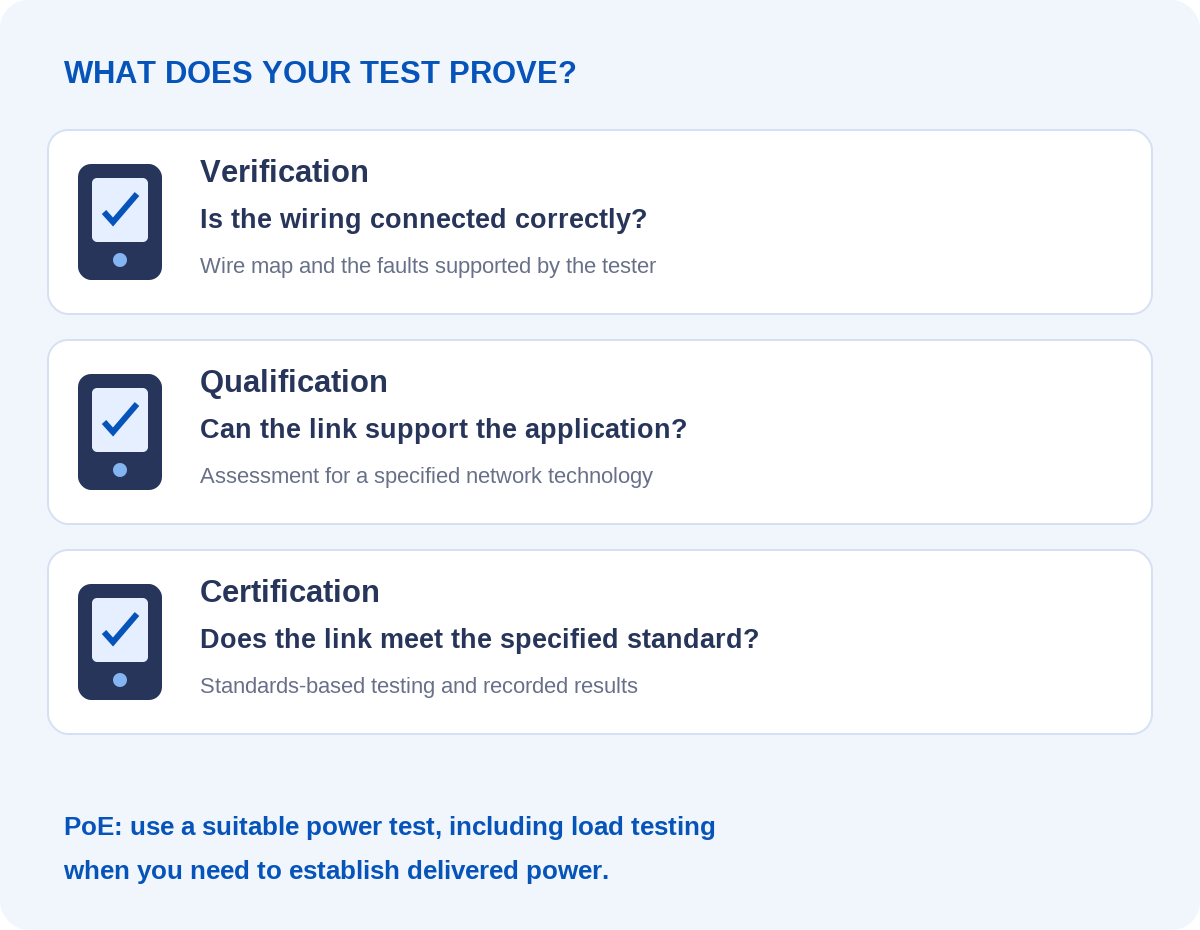
Verification
Is the wiring connected correctly?
Qualification
Can the link support the application?
Certification
Does the link meet the specified standard?
PoE delivery needs a suitable power test, including load testing when required.
- Wire-map tester: checks supported wiring faults, such as opens, shorts and miswires. Split-pair detection depends on the tester.
- Network and PoE tester: can check supported link and switch information. For power diagnosis, look for the required PoE negotiation and load-testing capabilities.
- Multimeter: useful for appropriate low-voltage supply and isolated continuity checks. It cannot replace a PoE negotiation/load test. Never measure resistance on a powered circuit.
- CCTV test monitor: helps with viewing, aiming and supported camera checks. Confirm the exact analogue formats, resolutions, IP features and power arrangements before relying on it.
- Toner and probe: helps identify cables when suitable for the cable and connection state. A general toner is not automatically safe for an active network or powered circuit.
Qualification assesses support for specified network applications; certification tests compliance with a specified cabling standard. Check the instrument’s actual specification and the project’s acceptance requirements. Hire or share specialist equipment when appropriate.
Fluke Networks explains verification, qualification and certification and PoE testing under load.
Bring the tools to commission and diagnose
A maintained laptop with Ethernet connectivity, suitable adapters and authorised manufacturer software is often as useful as a drill. Carry charged batteries, approved chargers and known-good network leads. Arrange authorised access before the visit rather than assuming default passwords will work.
Use a test monitor or laptop to check focus and the required view. Then confirm time settings, recording, playback and agreed remote access. A live image alone is not proof that footage is being saved. Check an exported sample where export is part of the handover.
Keep customer credentials and exported footage secure. Follow the equipment instructions for lens cleaning and configuration, and record changes so the next engineer has a useful starting point.
Include protection and finishing equipment
Plan suitable access equipment, task-appropriate PPE, dust control and protection for the customer’s property. Heavy or strenuous drilling needs an appropriate work position; a ladder is not automatically the right choice. HSE’s ladder guidance and on-tool dust extraction guidance help with those decisions.
A label printer or durable labels, cleaning materials and a way to save test records all contribute to the finished installation. Leave equipment and cable identities, recorded settings needed for operation, test results, user instructions and support details in an agreed handover.
What should you buy first?
| Start with a dependable core | Add when the job needs it |
|---|---|
| Tape measure, level, torch, hand tools and suitable drill/driver equipment. | Laser measure, inspection camera or specialist drilling accessories. |
| Cutters, jacket stripper and the termination tools for your cable and connectors. | Coaxial compression tools, fibre equipment or additional connector tooling. |
| A wire-map tester, known-good leads, laptop and a way to check live camera views. | Network qualification/certification equipment, PoE load testing or a compatible multi-format CCTV tester. |
| Labels, fixings, cable supports, protection, cleaning and job records. | Site-specific access equipment and specialist test instruments, hired or shared where practical. |
Buy for the jobs you can competently undertake, then expand the kit when a real requirement appears. Keep tools clean, check leads and blades, maintain batteries, and follow the inspection or calibration requirements of your test equipment.
The goal is a reliable process: plan the work, install carefully, test the relevant functions and leave clear records. More tools help only when they answer a practical need.
Discuss your own property. WESEC is based in Aylesbury and covers surrounding areas, including Milton Keynes and Tring, subject to postcode confirmation. Check our service areas.