Key fob access control for small businesses explained
See how readers, controllers and locks work together, and what to decide about users, lost fobs, door safety and administration.
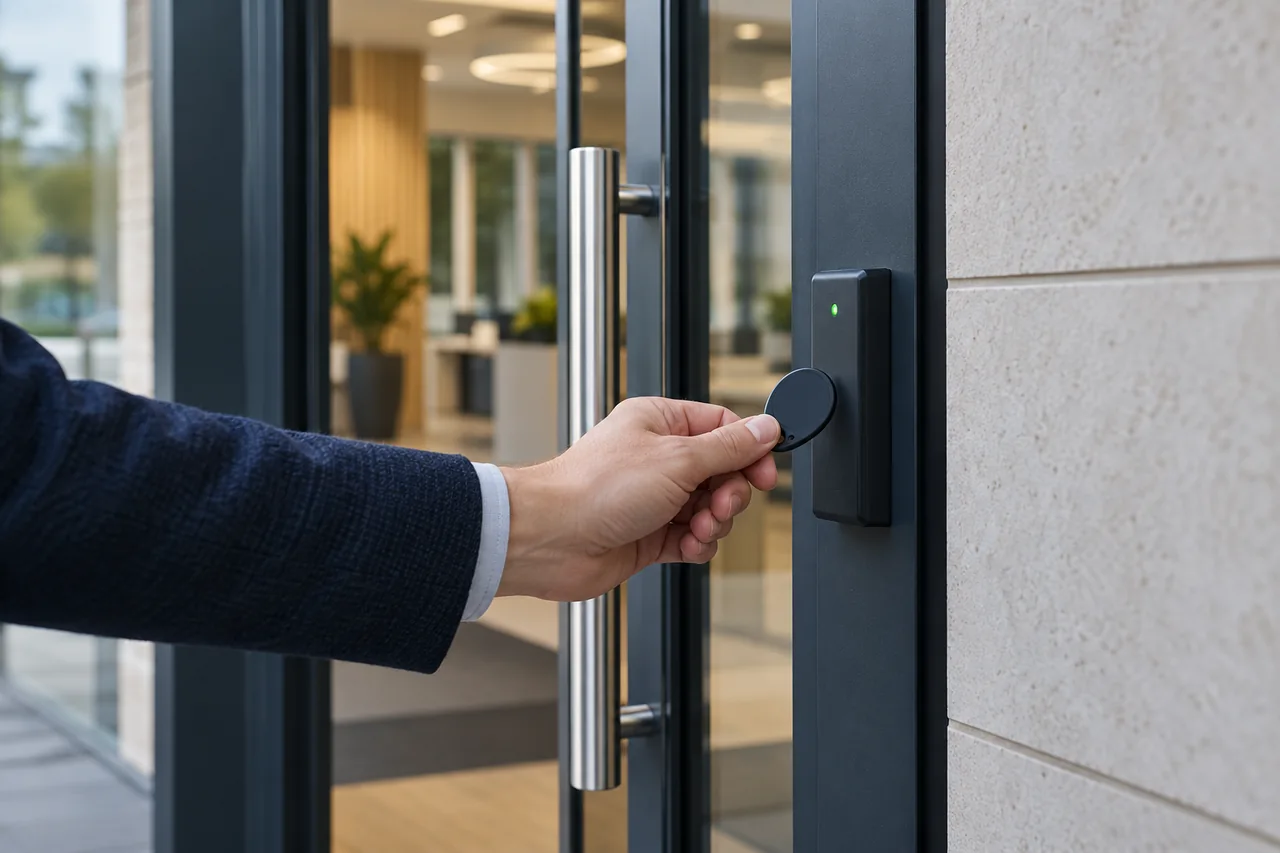
A key fob system checks a credential at a reader and grants entry when its permissions allow it. For a small business, the main benefit is managing individual access. The right system also needs suitable door hardware, dependable exit arrangements and someone responsible for administration.
What happens when someone presents a fob?
The reader obtains a credential identifier and the access system checks whether it is allowed at that door. If access is granted, the controller operates the agreed locking arrangement for the configured period. A fob is therefore one component in a door system, not a lock by itself.
The door, frame, closer, locking hardware, controller, reader, power supply and exit equipment all need to work together. A door left propped open, or one that fails to latch, can defeat the purpose of installing a reader.
Standalone or centrally managed?
| Approach | Possible fit | Questions to ask |
|---|---|---|
| Standalone | A small number of doors with straightforward permissions. | How are fobs added and removed? Must someone visit each reader? What happens if an enrolment credential is lost? |
| Centrally managed | Changing staff, several doors or different access times. | Who administers it? Which permissions, schedules and event records are supported? What network or software support is needed? |
A single-door business does not automatically need a complex networked system. Equally, a simple reader can become awkward if permissions change frequently. Consider the administration workload alongside the initial installation.
Plan people, permissions and lost fobs
List who needs each door and at what times. A small office might allow all staff through the main entrance during working hours, with a smaller group allowed into a stockroom. This is an illustrative layout; the permissions should follow your actual operation.
Give each person their own credential where individual accountability is required. Agree who can issue replacements and how a leaver’s access will be removed. Paxton’s Net2 guidance on invalidating users and tokens (PDF) explains lost-token barring on that system. Other systems have their own methods and limitations.
Event records show credential activity; they do not prove that only the authorised person passed through a door. Sharing fobs and following someone through an open door remain operational issues. Credential technology also varies, so discuss security and compatibility rather than assuming every fob is equally resistant to copying.
Agree exit and power-loss behaviour
Ask what should happen during normal exit, a power failure and an emergency. The answer depends on the door, lock, backup arrangements and the building’s requirements. There is no universal “always locked” or “always unlocked” choice suitable for every door.
Escape and fire-related requirements need to be coordinated with the responsible parties before hardware is selected. Access control is not a reason to improvise an exit restriction. The agreed release arrangements should be tested as part of commissioning.
For visitors, consider whether reception, an intercom or another agreed process is needed. Issuing a staff fob and admitting a delivery driver solve different problems.
What to include in your installation brief
- The number, type and condition of the doors, plus photos if available.
- Approximate user numbers and who needs access where and when.
- Any existing readers, locks, intercoms or network infrastructure.
- Who will administer credentials and the support that person needs.
- How visitors, contractors, lost fobs and staff departures will be handled.
Compare quotations for the complete door work, credentials, cabling, power, commissioning and training. Check any software, licence or mobile-credential costs separately. At handover, practise adding and removing a user and test both permitted and denied access.
See our access control installation process or explore security systems for businesses to plan the wider site.
Discuss your own property. WESEC is based in Aylesbury and covers surrounding areas, including Milton Keynes and Tring, subject to postcode confirmation. Check our service areas.