Why does my intercom call the wrong flat?
Understand the difference between an incorrect label, a wrong call destination and a system fault, plus what residents and managing agents should report.
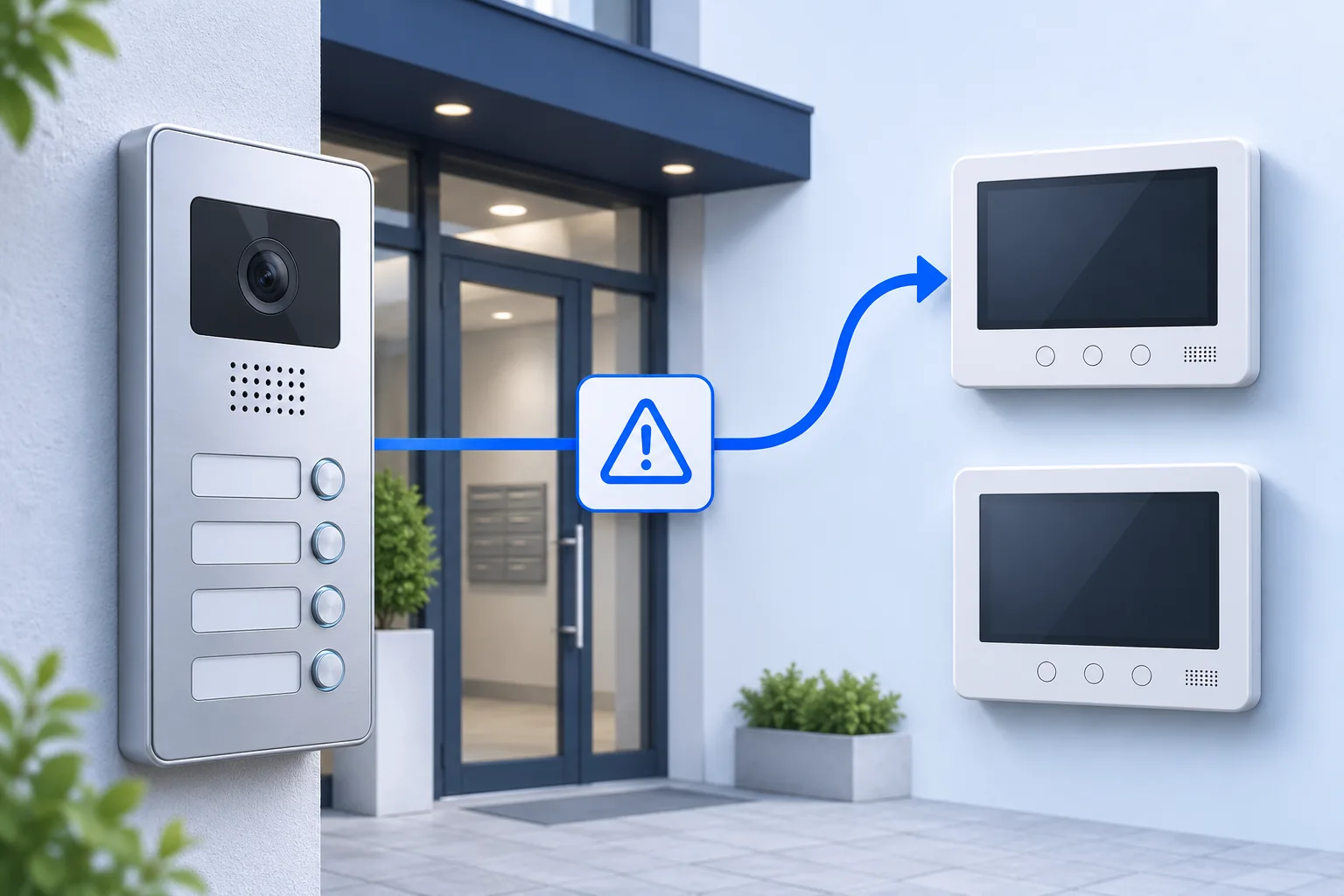
The name on an entrance panel and the destination it calls are separate things. Wrong-flat calls can involve labelling, programmed addresses or call destinations, recent changes, or a fault. Record exactly which selection rings which flat, then arrange a coordinated check of the shared system.
Is it the label, the call destination or both?
Start by separating what visitors see from what the system does. A button can be labelled incorrectly while still calling its programmed destination. Equally, a correct-looking label can be associated with the wrong destination.
Some systems use a separate call wire for each flat; others use programmed device addresses or directory entries. IP and app-connected systems may route calls to indoor units, phones or groups. The correct diagnostic approach depends on the system installed.
For example, the Comelit PL6731 technical manual (PDF) describes monitor user codes and call ranges. It illustrates why the installed configuration matters; it is not a universal programming procedure.
Which pattern should you report?
Describe the result, not just “it is broken”
- One button always calls another flat.
- Two flats ring together when only one is expected.
- The indoor monitor rings correctly but an app or phone receives the wrong call.
- The problem began after a handset replacement, directory update or other work.
- Different entrance panels produce different results.
These observations narrow the investigation but do not prove the cause. Shared-call features may be intentional, and a system fault can need checks beyond the handset. Record the selection made, expected flat and actual result without sharing residents’ private contact details unnecessarily.
What should residents do first?
Report the issue to the managing agent, landlord or person responsible for the shared entry system. Provide the entrance location and a clear description of the behaviour. A photo of the panel label can help, provided it is shared appropriately.
Do not change internal switches, move wires or factory-reset a handset to experiment. A replacement unit may need compatibility and addressing checks, and changes can affect other residents. Repeatedly calling neighbouring flats without coordination also makes testing harder.
When a call reaches the wrong person, verify the visitor’s identity and who they are visiting. Do not release the door simply because the intercom rang.
What does a coordinated repair check?
The engineer should identify the system, review any available flat list and establish which entrances and indoor devices are involved. With permission and access arranged, calls can be traced from the selected button or directory entry to the intended receiving device.
The work may involve correcting labels or programming, checking a replacement handset, or investigating wiring and shared components. A full replacement should not be assumed before diagnosis. Our intercom upgrade guide explains why existing infrastructure needs assessing.
After changes, test the affected selections, audio and any video, plus authorised door release. Confirm that neighbouring destinations or other entrances have not been unintentionally affected. App calls should be checked separately where fitted.
What should managing agents keep afterwards?
Keep an accurate flat-to-button or directory record, the system and device models, a summary of the change and the support contact. Arrange a secure process for resident changes and app access rather than leaving old contact destinations in place.
Ask the contractor to explain what was corrected and what was tested. A label update alone is not proof that the calls now reach the right destination. If door release is also unreliable, report that separately; see intermittent intercom door release.
WESEC can discuss intercom servicing and diagnostics or assess an intercom and door-entry installation. Tell us the postcode, number of flats, affected entrance and symptoms so we can plan an appropriate visit.
Discuss your own property. WESEC is based in Aylesbury and covers surrounding areas, including Milton Keynes and Tring, subject to postcode confirmation. Check our service areas.